C-Bus not working? Clipsal C-Bus has been running the lighting in Sydney homes since the late 1990s, and a lot of those systems are still going. When a C-Bus smart home stops behaving, the symptoms tend to fall into a handful of patterns. Knowing which one you have tells you whether you are looking at a quick fix, a hardware repair or a programming job, and who you actually need to call.
This guide walks through the common C-Bus faults we see in Sydney smart homes, what each one usually means, and what you can safely check yourself first.
First, a 30-second primer on how C-Bus works
C-Bus has two halves.
- The inputs: wall keypads, touchscreens, sensors and timers. They send commands.
- The outputs: dimmers and relays, usually on a DIN rail in the switchboard. They switch and dim the actual lighting circuits.
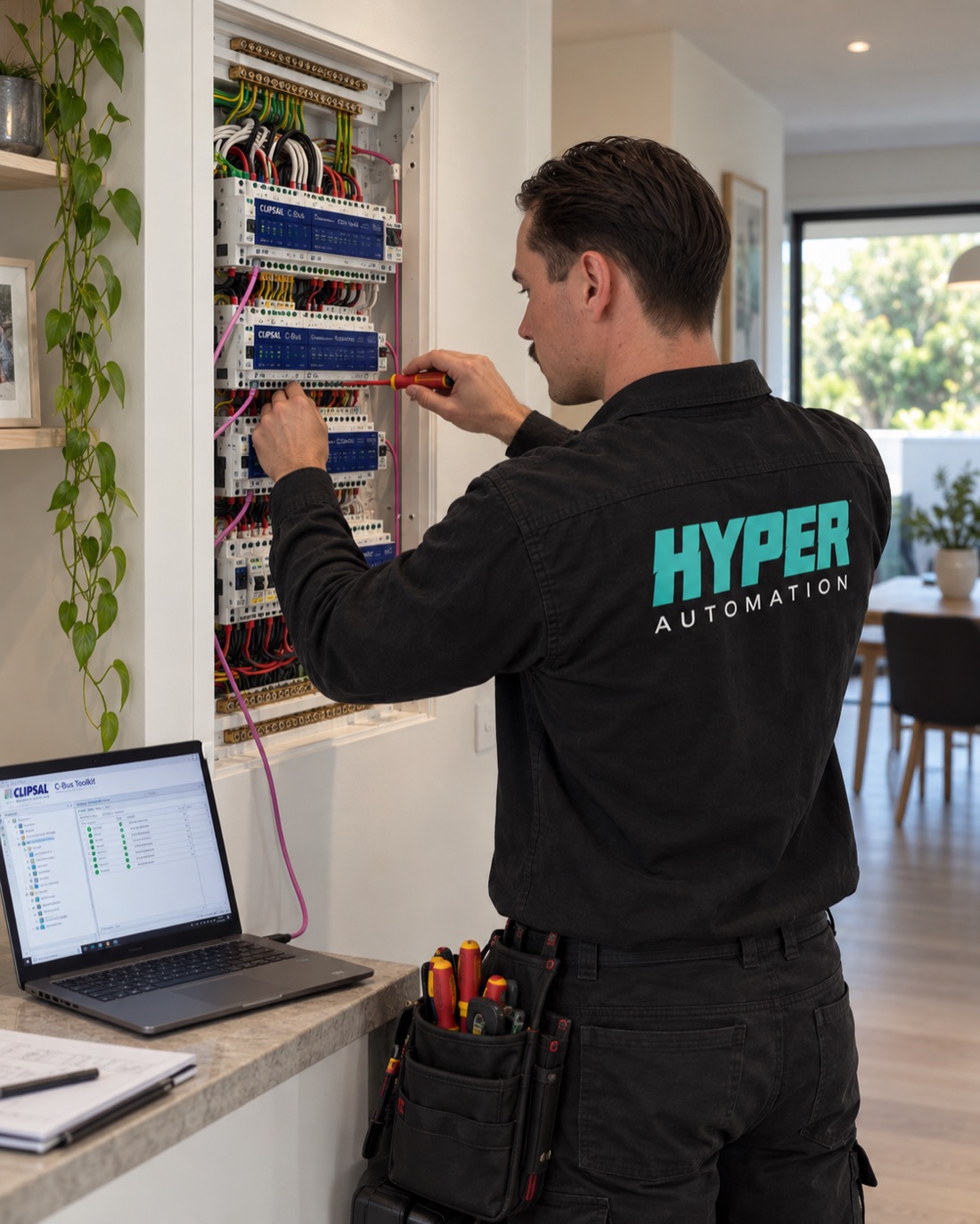
The two talk over their own low-voltage network, usually run in pink C-Bus cable. The network needs its own power, supplied by power supplies built into some units or fitted separately. Each unit also holds its own programming: which buttons control which circuits, and how.
Almost every C-Bus fault sits in one of three places: the network, the hardware, or the programming. The symptoms tell you which.
Fault 1: Nothing works anywhere
Every keypad is dead and no lights respond. This points at the C-Bus network itself rather than any one device.
What it usually means:
- A tripped circuit breaker or RCD on the circuit feeding the C-Bus power supplies
- A failed network power supply
- A short on the C-Bus cable, often from a screw or nail during renovation work
- A faulty unit pulling the whole network down
What you can check: look at the switchboard for a tripped breaker or RCD and reset it once. If it trips again, leave it off and call. Do not keep resetting it.
Fault 2: One keypad does nothing
The rest of the house is fine but one keypad is dead, often with no indicator lights at all.
What it usually means: the keypad has failed, lost its connection at the wall, or lost its programming. If the indicator lights are out, it is usually not getting network power at that point. If they are on but nothing happens, it is more often programming.
Fault 3: The keypad responds but the light does not
You press the button, the keypad light changes, but the room stays dark (or stays on).
What it usually means: the command is getting through, so the network is probably healthy. The problem is on the output side: a failed dimmer or relay channel, a tripped lighting circuit, or a failed LED driver or lamp. This is the most common hardware repair on C-Bus.
Fault 4: LED downlights glow, flicker or buzz
Lights glow faintly when they should be off, flicker at low levels, or will not dim smoothly.
What it usually means: a mismatch between the dimmer channel and the LED drivers rather than a fault in the C-Bus system. It is common after downlights are swapped for LEDs without checking the dimmer. It is fixable, and it rarely means the lights need replacing.
Fault 5: Scenes, timers or schedules stopped after a blackout
The switches work, but the automatic bits do not: the garden lights no longer come on at dusk, or the “goodnight” button only does half the house.
What it usually means: on many systems, schedules and logic live in a controller (a touchscreen, logic unit or home controller) rather than in the dimmers. If that device reset, lost its clock or lost its configuration after a power event or switchboard work, the automation stops while the basic switching carries on. It is usually a reprogramming job, not new hardware. If everything went dark after a storm or blackout, see lights not working after a power outage.
Fault 6: The touchscreen is dead, frozen or out of date
What it usually means: older C-Bus touchscreens are no longer made, and many have simply reached the end of their life. The good news is that the C-Bus network behind them is usually fine. A current screen can often go in its place, or control can move to a phone or tablet. If you are weighing up a bigger change, read repair or replace an ageing smart home system.
Fault 7: Lights turning on and off by themselves
What it usually means: most often a schedule, sensor or piece of logic doing exactly what it was programmed to do, just not what you want any more. Less often, a failing unit or network errors. Working out which needs someone who can see the programming.
What you can safely check yourself
- Is it everything, or one thing? One room points to a device. The whole house points to the network or power. Our smart home troubleshooting checklist covers this in more detail.
- The switchboard: look for a tripped breaker or RCD. Look, reset once, do not open covers. Anything behind the escutcheon is licensed electrical work.
- Was there a blackout or any electrical work recently? Tell whoever you call. It narrows things down fast.
- Take photos: the switchboard (especially the C-Bus units on the DIN rail) and the keypad that is misbehaving.
What not to do: do not keep power-cycling the system, and do not let anyone fit replacement C-Bus units without a plan for programming them. A new C-Bus unit arrives blank. Until it is programmed into your network, it does nothing.
Why “just replace the dimmer” often does not fix it
Almost every C-Bus callout ends in one of two places: the fault is hardware, or it is programming. Most trades can only handle the first, which is why so many C-Bus jobs get a new dimmer fitted and still do not work.
C-Bus is programmed in Clipsal’s C-Bus Toolkit software, and the job is much faster with the original project file. If nobody has it, the programming can usually be read back from the network and rebuilt. We cover how that works in lost your C-Bus or Dynalite programming file?
“He also is qualified in C-Bus and helped fix a faulty switch. He did a fantastic job always on time, with great communication, and very tidy.”
Anthea G., Google review
When to call a C-Bus specialist
Call someone who works on C-Bus repairs every week if:
- the whole network is down, or a breaker keeps tripping
- a replacement unit has been fitted and still does not work
- scenes, timers or the touchscreen have stopped working
- nobody has the programming file, or the original installer has closed down
Not sure what system you have? Here is how to tell C-Bus, Dynalite and KNX apart. If your house runs Philips Dynalite instead, see Dynalite not working? Common faults explained.
Frequently asked questions
Why have all my C-Bus lights stopped working at once?
When the whole system stops at once, the cause is usually the C-Bus network rather than a single device: a tripped circuit feeding the power supplies, a failed power supply, or a short on the C-Bus cable. Check the switchboard for a tripped breaker and reset it once. If it trips again or nothing changes, call a C-Bus technician.
Can I reset C-Bus myself?
You can safely reset a tripped breaker once. Beyond that, avoid resetting or power-cycling units. It rarely fixes a C-Bus fault and can make a programming problem harder to diagnose.
Why does my C-Bus keypad light up but the light does not turn on?
The keypad is sending the command, so the network is probably fine. The fault is usually a failed dimmer or relay channel, a tripped lighting circuit, or a failed LED driver or lamp.
Can any electrician fix C-Bus?
Any licensed electrician can replace wiring and fittings, but C-Bus units have to be programmed in C-Bus Toolkit to work. If the electrician cannot program C-Bus, a replacement unit will not do anything until someone does.
Is C-Bus still worth keeping?
In most homes, yes. The cabling and most of the hardware are usually sound, and failed parts can be replaced or the controls modernised without rewiring.
Related reading
- Dynalite Not Working? Common Philips Dynalite Faults Explained
- C-Bus vs Dynalite vs KNX: How to Tell Which Lighting Control System You Have
- Lost Your C-Bus Programming File? How C-Bus and Dynalite Systems Are Recovered
- Smart Lighting 101: How Automated Lighting Transforms a Sydney Home
C-Bus playing up?
We are a C-Bus Approved Installer and a licensed electrical contractor, and we write the C-Bus programming ourselves, so the hardware and the programming get fixed in the same visit. We work on systems someone else installed every week.
Sam Doolan · 0479 122 450 · sam@hyperautomation.com.au