
Most conversations about an intercom system start the same way. Someone has a gate or a front door, they want to see who is there and let them in from wherever they happen to be, and they have seen a video doorbell for a few hundred dollars at the shops. Why would anyone pay for an intercom?
Sometimes the doorbell is the right answer. Often it is not, and the reasons are practical rather than snobbish: where the door station sits, what it has to open, and what happens when the internet drops out. For a new system there are really three choices, and once you know what each one is built for the choice is usually obvious. Plenty of older houses and buildings also still run an earlier multi-wire system, which matters when you replace it.
The three kinds of intercom you can buy today
Wi-Fi video doorbells
These are the consumer devices: a camera, microphone and button in one unit, powered by a battery or the old doorbell transformer, talking to your phone through the maker’s cloud service. They are quick to fit and the apps are good.
The limits show up at the boundary of the property. They need strong Wi-Fi exactly where they are mounted, which is rarely the case at a gate twenty metres from the house. They do not release a lock or a gate on their own; that takes an extra relay and, on most models, a subscription for recorded video. And when the internet is down, so is the doorbell, because the call goes out to the cloud and back rather than across the house.
For a front door on a small block with no gate and good Wi-Fi, they are fine. Beyond that, they tend to disappoint.
2-wire video intercoms
This is the traditional system in most Sydney houses and apartment buildings: a door station outside, one or more monitors inside, joined by a pair of wires that carry power, video and audio. No network, no cloud, no subscription. They ring, you see the visitor, you press a button and the door or gate releases.
They are simple and reliable, which is why so many twenty-year-old ones still work. The limits are features. Older units do not ring your phone, do not record, and a monitor that dies may be hard to replace like for like. Current 2-wire kits have closed some of that gap, with monitors that forward calls to a phone through a small adaptor.
IP intercoms
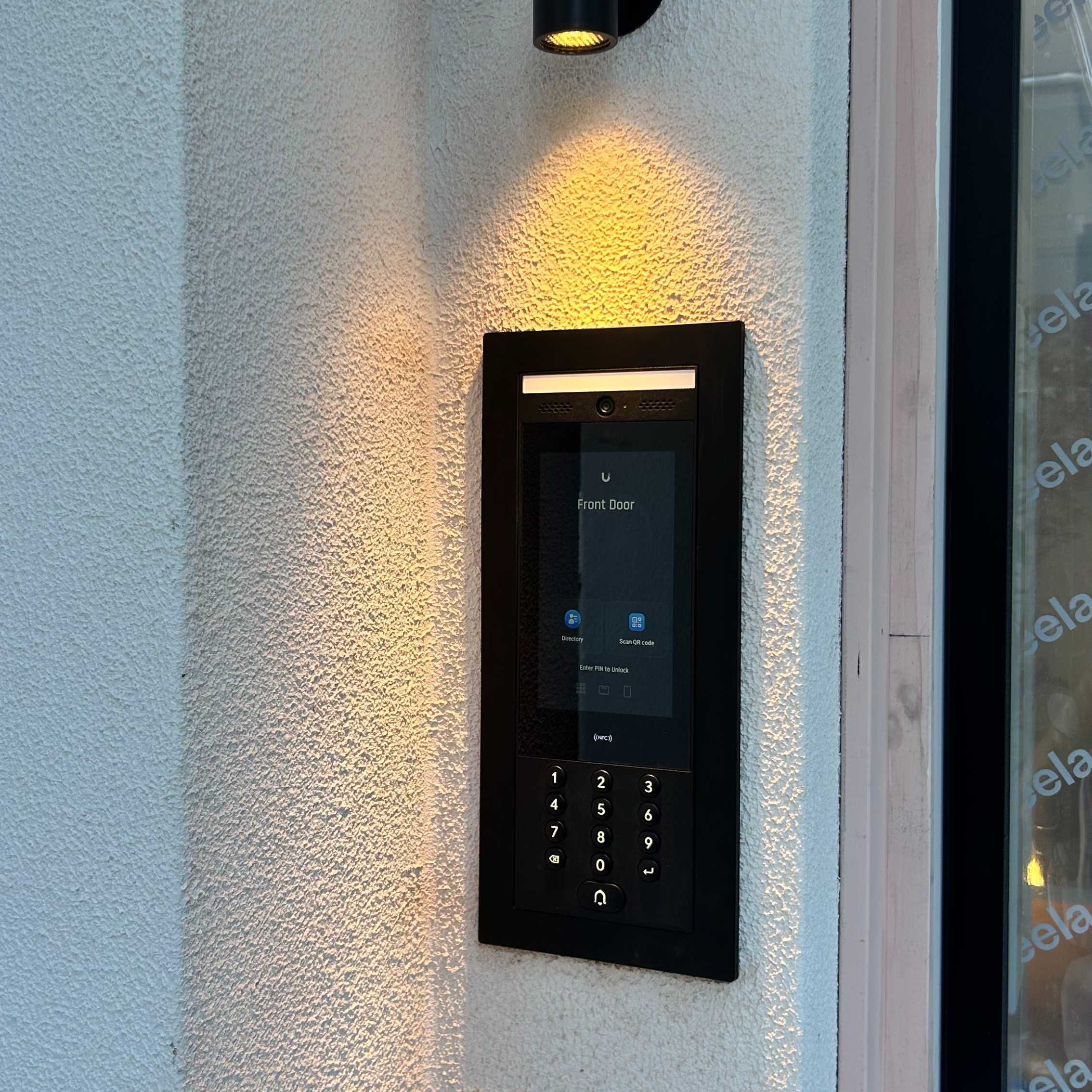
An IP intercom is a small networked computer with a camera, a speaker and usually a card reader or keypad. It runs on a network cable that also powers it (PoE), rings indoor panels and phones directly using the same protocol as a business phone system, and releases doors and gates through a relay. Because it sits on the home network it can talk to the rest of the house: light the path when someone arrives, show the door camera on the TV, tie into the alarm and the access control.
This is what we install on most new builds and on any house with a gate, and 2N is the brand we reach for. The trade-off is that it needs a properly set-up network and someone who knows how to configure it. Bought as a box and plugged in, it will not do much.
Older 4-wire and 5-wire intercoms
Before 2-wire systems, intercoms used a separate wire for each job: power, audio each way, the call button and the door release. Four or five cores to the door station is common in older Sydney houses. Apartment buildings often have “4+n” or “5+n” systems: four or five shared wires plus one extra call wire for each apartment. Older video versions add a coaxial cable or extra pairs for the picture.
They are simple and many still work, but parts are hard to find and they do nothing a modern system would. The upside is the cable. Because there are spare cores, a modern 2-wire system can usually run on one good pair of the existing wiring.
Where the door station sits changes everything
A door station at the front door is easy. A door station at the street, on a gate pillar, is a different job.
Distance rules out Wi-Fi doorbells almost every time. A 2-wire system handles the run comfortably on its own cable. An IP intercom needs a network cable to the pillar (conduit, ideally, laid when the driveway is done) or one of the 2-wire-to-IP adaptors that let an IP door station run over an existing pair of wires. That last option is what makes an upgrade possible in a finished house without digging up the drive.
The gate itself matters too. Sliding and swing gate motors take a simple contact to open, and the intercom’s relay provides it. Getting the motor, the intercom, the keypad and the safety edges all working together is the part that takes experience.
Apartments are a special case
In an apartment building the intercom belongs to the building, not to you. The door station at the entry and the wiring in the risers are common property, and the handset in your apartment is the only part you can change, usually with the manager’s permission.
Older buildings often have a 4+n or 5+n system with a dedicated call wire to every apartment, so a like-for-like replacement is rarely possible once parts run out. If you want the entry to ring your phone, the whole building has to move to a system that can do it, and that is a committee decision. Many buildings do this in stages, replacing the entry panel first and letting owners upgrade their handsets over time. Where the building has an IP-capable panel already, a phone app is often a matter of configuration rather than new hardware.
Replacing an old intercom
The first question is always the cable. Houses usually have either two wires to the door station and each monitor (a 2-wire system) or four to six (an older multi-wire system). A modern 2-wire kit can usually run on one pair of either, as long as the cable is sound. An IP system needs a network cable or one of the adaptors mentioned above.
The second question is what else has failed. A door station that no longer shows a picture may just need a new camera unit; a power supply behind the monitor is a common culprit and a cheap fix. It is worth having a technician look before replacing a system that could be repaired for a fraction of the cost.
Two things people forget
Where the lock relay lives. If the relay that releases your door is inside the door station on the outside wall, anyone who pries the station off can short it and open the door. Good installs put the relay inside the house, in a secure module, so the outside unit only asks and the inside unit decides. Ask about this before signing anything.
Audio recording. In New South Wales, recording private conversations without consent is restricted under the Surveillance Devices Act 2007. Intercoms and door cameras should be set up for video, not audio recording, unless there is a clear lawful reason.
What to ask before you buy
- Will it work when the internet is down?
- Can it release the gate and the door, and where is the relay?
- Will it ring our phones, and does that depend on a subscription?
- Can it reuse the existing cable, or does it need new?
- Does it run on the building’s power or its own supply, and what happens in a blackout?
- Who will service it in ten years, and is the programming documented?
If the answers are vague, keep looking.
Frequently asked questions
Can a Wi-Fi doorbell open a gate?
Not on its own. Most can trigger a separate relay accessory, but the reliability of the Wi-Fi at the gate is the real problem. For a gate, a 2-wire or IP intercom is the dependable choice.
Can my intercom ring my phone?
Current IP intercoms do this natively. Some current 2-wire systems do it through an adaptor. Older 2-wire systems cannot without replacing the indoor unit.
Can I replace my old intercom with video without running new cable?
Usually, yes. Modern 2-wire kits and 2-wire-to-IP adaptors both reuse existing cable, whether it is an old 2-wire run or a 4-wire or 5-wire system with a spare pair.
What is a 4-wire or 5-wire intercom?
An older intercom that uses a separate wire for power, audio, the call button and the door release. Apartment versions, called 4+n or 5+n, add one call wire per apartment. They still work in many homes, but parts are scarce and most are replaced with 2-wire or IP systems that reuse the cable.
Who owns the intercom in an apartment building?
The entry panel and riser wiring are common property and belong to the owners corporation. The handset in your apartment is generally yours to replace, subject to the building’s rules.
Related reading
- Why Is My Home Alarm Beeping? Common Causes and Fixes
- CCTV Not Recording? Why Home Security Cameras Stop Recording
- Smart Home Security Installation for Northern Beaches Homes
Need an intercom repaired, replaced or designed into a new house? Call Hyper Automation on 0479 122 450, or read about intercom and access control installation, intercom repairs and strata building systems.